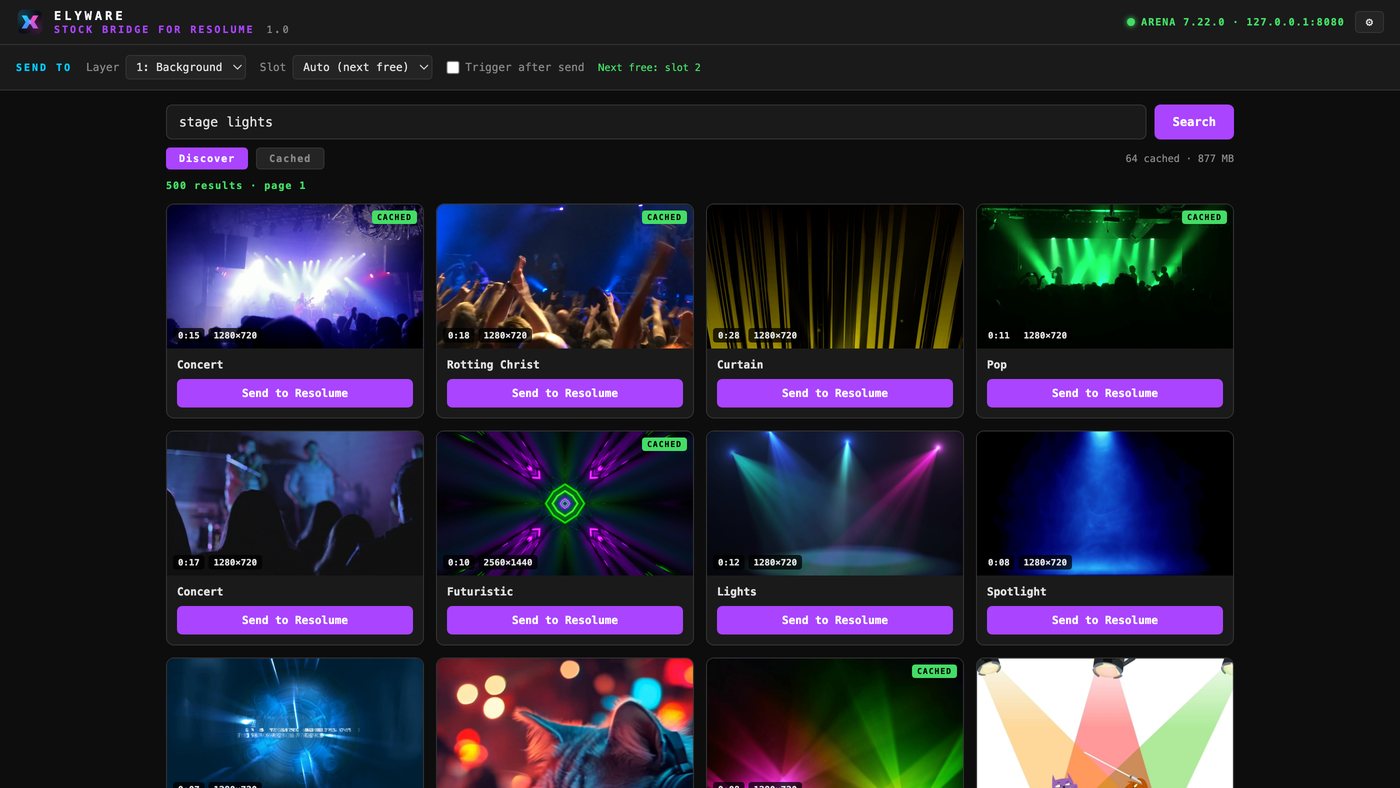
Is there a Pixabay plugin for Resolume?
No. Resolume has no official Pixabay plugin and no third-party FFGL plugin provides one. FFGL is built for GPU effects and generative sources, so it cannot sensibly browse a stock library, download files or hold an API key. The Stock Bridge solves the same problem from outside Resolume, using the REST API that Arena and Avenue already expose.
How does the bridge actually load a clip?
It posts the cached file path as a file:// URI to /api/v1/composition/layers/{layer}/clips/{clip}/open. Resolume then treats that slot exactly as if you had dragged the file in yourself. If you tick trigger after send, the bridge also calls the matching connect endpoint.
Which Resolume versions are supported?
Arena and Avenue 7.8 or later, which is when Resolume added the REST API and webserver. Turn the webserver on under Preferences. Arena-only features like projection mapping are not required.
Does it cost anything?
No. The bridge is free with no account and no subscription. You bring your own free Pixabay API key.
Will Pixabay clips play smoothly in Resolume?
Pixabay serves H.264, which Resolume plays but does not scrub as cleanly as DXV. Fine for triggering. For heavy use, convert cached clips to DXV with Resolume Alley.
Where are the downloaded clips stored?
In your home folder under VideoMixer/cache/stock/media, with a small metadata file per clip recording the Pixabay page, contributor and license. ELYWARE Video Mixer uses the same cache, so anything you download is available in both apps.
Can it send to a specific slot instead of the next free one?
Yes. The slot dropdown lists every clip slot on the chosen layer. Auto simply picks the first empty one so you do not overwrite something you have already cued.